START HERE
To practise NQ order flow in Replay, use one recorded interval, fix your display settings, write an observation before seeing the outcome, then replay it once to review. Start without orders. Add a small, explicitly simulated execution exercise only after you can explain the bid, ask and tape.
Prefer to watch? Practise order flow in NQ Replay: pause, observe, review (1:40)
The session you can use without an account
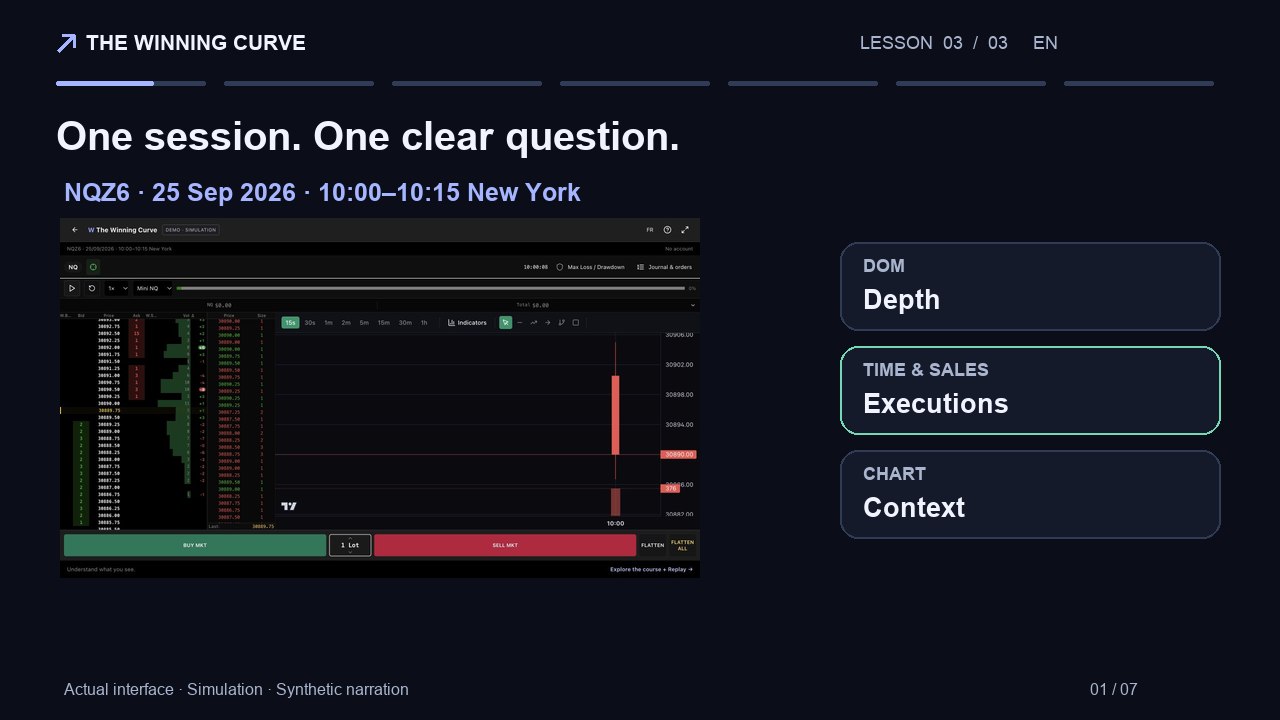
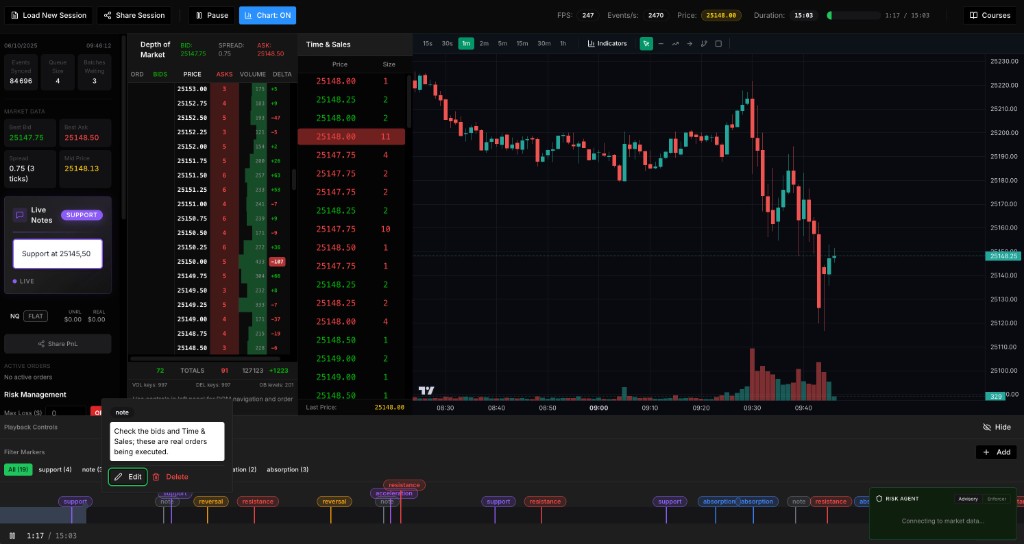
The public The Winning Curve demo replays NQZ6 on September 25, 2026, from 10:00 to 10:15 New York time. It is a fixed recorded session, not today’s market. The workspace includes the DOM, Time & Sales, a chart, simulated orders and risk settings. You can use the demo in your browser without connecting a broker.
This guide is a practice plan for that recording, not a claim about which trades would have won. No entry, price movement or profit from the recording is assumed below. The numerical risk example is hypothetical and separately labelled.
Before playback: define what you are trying to learn
Choose one question: can you distinguish displayed quantity from executed volume, describe an interaction at a price, or follow a simulated risk rule? Combining all three immediately makes it harder to identify why an exercise went wrong.
Write the instrument, recording date, replay time, playback speed, tape filter and grouping setting. Keep these fixed during your first pass. On a small screen, use the workspace controls to move between the ladder and chart as needed; pause before switching if you lose your place.
- Choose a short interval you have not yet watched, when possible.
- Note whether you are observing only or allowing simulated orders.
- Set a time limit for the exercise and a stopping condition before starting.
- Record your observation before revealing the following price movement.
A 15-minute order flow practice plan
The durations below are study time, not a requirement to play every second of the recording. Pausing is part of the exercise. You can complete the first two stages without submitting any simulated order.
On a small screen, scroll the table horizontally.
| Study time | Task | What to write down |
|---|---|---|
| 0–3 minutes | Pause and identify bid, ask, spread and nearby levels | A short explanation of each visible field |
| 3–7 minutes | Observe one interaction at a chosen price | Replay time, executions, displayed size and price response |
| 7–10 minutes | State a hypothesis before continuing | One interpretation and one alternative explanation |
| 10–13 minutes | Replay the same interval once | Which facts you missed and whether your hypothesis survived |
| 13–15 minutes | Review the process | One specific change for the next unfamiliar interval |
A hypothetical NQ risk calculation
For E-mini Nasdaq-100 futures (NQ), a tick is 0.25 index points and is worth $5 per contract. Eight ticks equal 2 index points. In a simple teaching example with one NQ contract and an 8-tick planned stop distance, the price-distance calculation is 1 × 8 × $5 = $40, before commissions, fees and slippage. This is arithmetic, not a recommended position size or stop.
The distance between an intended entry and a stop is not a guarantee of the loss on a live order. Actual execution can differ, especially when prices move quickly. A simulation can fill differently from an exchange order book, including because it does not reproduce your queue position and market impact.
On a small screen, scroll the table horizontally.
| Hypothetical input | Value |
|---|---|
| Contract quantity | 1 NQ |
| Planned distance | 8 ticks = 2 points |
| Value per tick | USD 5 per NQ contract |
| Distance-based amount | USD 40 before costs and slippage |
Reference : CME Group — E-mini Nasdaq-100 contract specifications
How to use MaxLoss as a practice rule
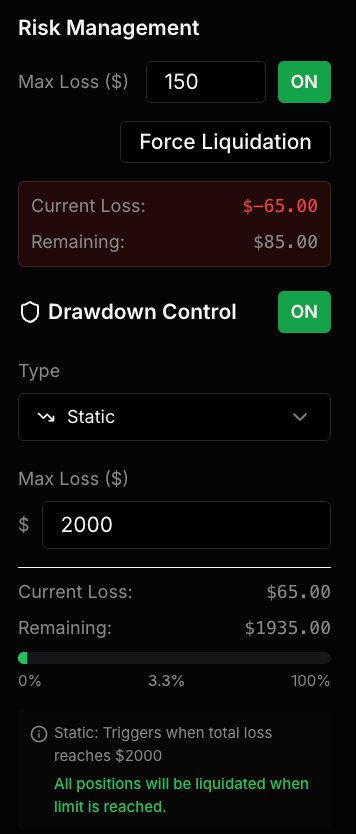
Before the simulated execution exercise, review the maximum-loss setting and decide what should stop your practice session. Keep that rule unchanged while observing how the simulator behaves. A limit you move after a loss is no longer the same experiment.
Check what the active mode counts: realised results, unrealised results, fees or another measure can lead to different outcomes. Use the settings shown by your version of the simulator, and record the actual behaviour instead of assuming it matches a provider’s rule.
The demo’s Mini/Micro selection scales PnL on the same NQ recording; Micro mode does not load a separately recorded MNQ order book. MaxLoss and other demo rules do not certify compliance with a prop firm evaluation or make simulated fills equivalent to live fills.
Use a journal that records decisions before outcomes
A useful journal distinguishes what you saw, what you expected and what happened next. Keep the original expectation even when the result contradicts it. Otherwise a replay makes it easy to replace a real-time decision with hindsight.
Use one line per interaction. For observation-only practice, leave entry and exit fields empty. If you place a simulated order, note the intended action before clicking, then record the simulated result and any departure from your rule. Do not use the journal as proof of live returns.
- Replay time and selected price level.
- Observed fact: execution, displayed quantity or price response.
- Hypothesis written before continuing, plus an alternative explanation.
- Simulated action, if any, and whether it followed the preset rule.
- Observed outcome and one lesson for the next session.
How to judge whether the session helped
Judge the process first. Could you correctly name the best bid and ask? Did your note distinguish executed volume from displayed depth? Was the hypothesis written before the next move? Did you respect the stopping rule? A simulated gain with no clear observation is weak evidence of learning.
Replaying the same sequence repeatedly creates familiarity with its ending. Once you know it, use it to practise interface controls, not to estimate a trading edge. Broaden practice to other sessions and conditions, and include losing and ambiguous examples in your review.
The course includes Replay practice for continuing beyond this introduction. DOM Live is a separate beta access request, not an automatic consequence of buying the course. Futures trading involves losses and execution risks; a recorded exercise does not demonstrate readiness to trade a live account.
Common questions
Can I practise NQ futures when the market is closed?
Yes. A replay uses previously recorded data. The displayed prices and times belong to that recording and are not live market quotes.
Does this demo require a login or broker connection?
No. The public NQ Replay demo is accessible without an account or broker connection. Its orders are simulated.
Is the Micro setting a real MNQ replay?
No. In this demo it changes PnL scaling on the same NQ recording. It does not replace the data with a separate MNQ order book.
Does a profitable replay prove I can pass a prop firm evaluation?
No. Repeated sessions can introduce hindsight, and execution and account rules differ. Simulated profits do not guarantee live performance or evaluation success.
Published by The Winning Curve. Invented examples are labelled; screenshots show our interface. A correction or question about this guide? thewinningcurve@gmail.com